At a glance
| Item | Detail |
|---|---|
| Also called | Mobile wallet, mobile payment. Examples are Apple Pay, Google Pay and Samsung Pay |
| French term | Portefeuille numérique |
| Where it sits in the payment flow | At checkout, in person by tap or online and in apps. It replaces the plastic card as the way the customer pays |
| Who controls it | The wallet company runs the app. The customer's bank decides which of its cards can be added. The card networks and Interac set the payment rules |
| Does it cost the merchant | The sources we read list no separate wallet fee. Your acquirer agreement sets the fees for the card behind it |
How it works
Apple says it does not share the actual card number with merchants. Google says a token replaces the card number, and the token is tied to the device. Visa says its Visa Token Service protects card details with a token in the same way.
- The customer adds a card to the wallet. The bank that issued the card must take part. Google notes that a bank decides whether its cards work in the wallet.
- At the counter, the customer holds the phone near a contactless reader. Google says the terminal must support NFC, the tap technology. Online, the customer picks the wallet button.
- The customer confirms with a fingerprint, a face scan or a passcode. Apple says every purchase needs Face ID, Touch ID or a passcode.
- The wallet sends the token, not the card number. Your processor passes the sale on for approval.
A Canadian example
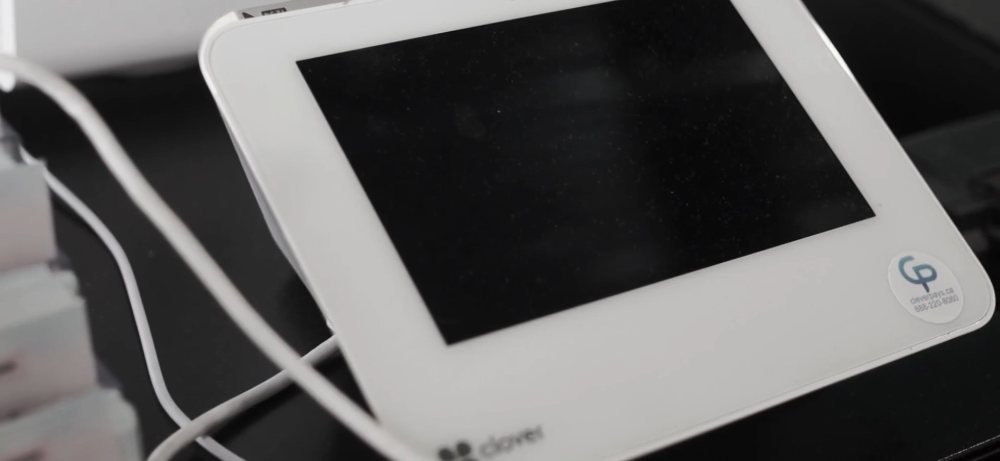
A bakery in Laval rings up a $24 order. The customer holds an iPhone near a Clover Flex 4 and confirms with Face ID. The bakery sees an approved sale and never sees the card number. Clover's own page says the Flex 4 accepts Apple Pay, Google Pay and Samsung Pay. This is an example only, not a quote. No rate is used, because the sources we read publish no wallet-specific rate.
What is different in Canada and Québec
- Interac Debit works in Apple Pay, Google Pay and Samsung Pay. Interac says customers can use it in store. They can also use it online or in apps at participating merchants. Contactless limits are set by the customer's bank.
- Google lists Visa, Mastercard, Interac Debit and American Express cards as supported in Canada. Each bank still decides which of its cards can be used.
- The FCAC's Code of Conduct, in effect since 30 October 2024, lets merchants accept credit or debit from a network without taking both. It also says customers keep unrestricted choice of their default card when a card is added to a device.
- Clover's developer pages say the Flex 4 and the Flex Pocket accept Apple Pay, Google Pay and Samsung Pay. We read only those two pages, so ask us about any other device.
- We found no Québec wallet rule in these sources. The Québec ban on credit card surcharges and the rules on restaurant billing still apply to the sale, whichever way the customer pays.
What it costs and where it shows on your statement
The sources we read show no extra fee for a wallet payment. Interac says fees for Interac Debit are set by your acquirer, and they include Interac's own. Credit card costs follow your agreement. Our fees guide shows the layers. On your statement, look at the fee lines for each card type. We can walk through them with you.
Where CleverPays fits in this step
Apple, Google and Samsung run their wallets, and the customer's bank decides which cards can be added. Visa, Mastercard and Interac set the payment rules. CleverPays does not make wallets, approve or decline cards, or set network rules. Clover is Fiserv's platform, and Clover devices in Canada work only with Fiserv processing.
We can recommend and set up Clover terminals, and we can confirm which of your devices take wallet payments. We can read a recent statement with you and show each fee line. We can answer in English and French.
Common mistakes
- Assuming every terminal takes a wallet. The reader needs NFC, the tap technology.
- Assuming a wallet tap costs more. The sources we read show no wallet fee, so check your own fee lines first.
- Skipping a test. Tap with each wallet at your counter before a busy day.
Related terms
- Contactless payments: paying by tapping a card or device on a reader.
- Apple Pay: Apple's wallet for iPhone, iPad and Mac.
- Google Pay: Google's wallet, used through Google Wallet on Android phones.
- Network tokens: the stand-in numbers that wallets send in place of the card number.
- Interac Debit: the Canadian debit service that also works in wallets.
- Payment terminal: the device that reads the tap.
Common questions
Does Interac Debit work in Apple Pay and Google Pay?
Yes. Interac says customers can add Interac Debit to Apple Pay, Google Pay or Samsung Pay. They can use it in store and at participating online merchants.
Do I see the customer's card number?
No. Apple says it does not share the actual card number with merchants. Google says it sends a token in place of the card number.
Do wallet payments have a different tap limit?
Interac says the customer's bank sets the limit on contactless debit. Ask your processor about credit.
Sources
- Apple, Apple Pay (Canada), read 6 October 2026.
- Google, Supported payment methods in Canada, read 6 October 2026.
- Google, Security (Google Pay for issuers), read 6 October 2026.
- Visa Canada, Mobile payments, read 6 October 2026.
- Interac, Interac Debit digital wallet, read 6 October 2026.
- Interac, Accept Interac Debit payments, read 6 October 2026.
- FCAC, Code of Conduct for the Payment Card Industry in Canada, read 6 October 2026.
- Clover, Clover Flex 4 for merchants in Canada, read 6 October 2026.
- Clover, Clover Flex Pocket for Canada merchants, read 6 October 2026.
- Clover Canada, Pricing FAQ, read 6 October 2026.